How to Fine-Tune LFM2 Using QLoRA and DPO: A Complete Step-by-Step Coding Tutorial on Google Colab
重點摘要
In this tutorial, we fine-tune Liquid AI’s LFM2 model through a complete open-source workflow. We start by loading the base LFM2 checkpoint with QLoRA, preparing a chat-style supervised fine-tuning dataset, training a lightweight LoRA adapter using TRL and PEFT, and then merging the adapter back into the model. We also extend the workflow with DPO to show how we can improve response preference using chosen and rejected answers. At the end, we have a practical pipeline that moves from a base LFM2 model to an SFT-tuned, preference-aligned checkpoint, ready for further testing or deployment. Copy CodeCopiedUse a different Browser!pip install -q -U "transformers>=4.55" "trl>=0.12" "peft>=0.13" "datasets>=2.20" "accelerate>=0.34" bitsandbytes import torch, gc from datasets import load_dataset,
In this tutorial, we fine-tune Liquid AI’s LFM2 model through a complete open-source workflow. We start by loading the base LFM2 checkpoint with QLoRA, preparing a chat-style supervised fine-tuning dataset, training a lightweight LoRA adapter using TRL and PEFT, and then merging the adapter back into the model. We also extend the workflow with DPO to show how we can improve response preference using chosen and rejected answers. At the end, we have a practical pipeline that moves from a base LFM2 model to an SFT-tuned, preference-aligned checkpoint, ready for further testing or deployment. Copy CodeCopiedUse a different Browser!pip install -q -U "transformers>=4.55" "trl>=0.12" "peft>=0.13" "datasets>=2.20" "accelerate>=0.34" bitsandbytes import torch, gc from datasets import load_dataset, Dataset from transformers import AutoModelForCausalLM, AutoTokenizer, BitsAndBytesConfig from peft import LoraConfig, PeftModel, prepare_model_for_kbit_training from trl import SFTConfig, SFTTrainer, DPOConfig, DPOTrainer MODEL_ID = "LiquidAI/LFM2-1.2B" USE_4BIT = True RUN_DPO = True SFT_SAMPLES = 500 SFT_STEPS = 60 DPO_STEPS = 40 MAX_LEN = 1024 BF16 = torch.cuda.is_available() and torch.cuda.is_bf16_supported() DTYPE = torch.bfloat16 if BF16 else torch.float16 assert torch.cuda.is_available(), "No GPU detected — set Runtime > Change runtime type > GPU" print(f"GPU: {torch.cuda.get_device_name(0)} | dtype={DTYPE} | 4bit={USE_4BIT}") We install all the required libraries for fine-tuning LFM2 inside Google Colab. We import the core tools from Transformers, TRL, PEFT, datasets, bitsandbytes, and PyTorch. We also define the main training settings, detect available GPUs, and select the appropriate precision for efficient training. Copy CodeCopiedUse a different Browserdef load_base(four_bit: bool): quant_cfg = None if four_bit: quant_cfg = BitsAndBytesConfig( load_in_4bit=True, bnb_4bit_quant_type="nf4", bnb_4bit_use_double_quant=True, bnb_4bit_compute_dtype=DTYPE, ) model = AutoModelForCausalLM.from_pretrained( MODEL_ID, device_map="auto", dtype=DTYPE, quantization_config=quant_cfg, ) model.config.use_cache = False return model tokenizer = AutoTokenizer.from_pretrained(MODEL_ID) if tokenizer.pad_token is None: tokenizer.pad_token = tokenizer.eos_token model = load_base(USE_4BIT) @torch.no_grad() def chat(m, user_msg, system=None, max_new_tokens=200): msgs = ([{"role": "system", "content": system}] if system else []) + \ [{"role": "user", "content": user_msg}] inputs = tokenizer.apply_chat_template( msgs, add_generation_prompt=True, return_tensors="pt", tokenize=True, return_dict=True, ).to(m.device) m.config.use_cache = True out = m.generate( **inputs, max_new_tokens=max_new_tokens, do_sample=True, temperature=0.3, min_p=0.15, repetition_penalty=1.05, pad_token_id=tokenizer.pad_token_id, ) m.config.use_cache = False prompt_len = inputs["input_ids"].shape[-1] return tokenizer.decode(out[0, prompt_len:], skip_special_tokens=True) PROBE = "Explain what makes the LFM2 architecture good for on-device AI, in 2 sentences." print("\n=== BASELINE (before fine-tuning) ===\n", chat(model, PROBE)) We load the LFM2 base model with optional 4-bit quantization to reduce GPU memory usage. We prepare the tokenizer, set the padding token, and define a chat function for testing model responses. We then run a baseline prompt to compare the model’s behavior before and after fine-tuning. Copy CodeCopiedUse a different Browsersft_ds = load_dataset("HuggingFaceTB/smoltalk", "all", split=f"train[:{SFT_SAMPLES}]") sft_ds = sft_ds.select_columns(["messages"]) print("\nSFT example messages:", sft_ds[0]["messages"][:2]) lora_sft = LoraConfig( r=16, lora_alpha=32, lora_dropout=0.05, bias="none", task_type="CAUSAL_LM", target_modules="all-linear", ) sft_cfg = SFTConfig( output_dir="outputs/sft/lfm2_demo", max_length=MAX_LEN, per_device_train_batch_size=2, gradient_accumulation_steps=4, learning_rate=2e-5, warmup_ratio=0.03, lr_scheduler_type="cosine", max_steps=SFT_STEPS, logging_steps=10, save_strategy="no", gradient_checkpointing=True, gradient_checkpointing_kwargs={"use_reentrant": False}, bf16=BF16, fp16=not BF16, optim="paged_adamw_8bit" if USE_4BIT else "adamw_torch", packing=False, report_to="none", ) sft_trainer = SFTTrainer( model=model, args=sft_cfg, train_dataset=sft_ds, peft_config=lora_sft, processing_class=tokenizer, ) sft_trainer.train() sft_trainer.save_model("outputs/sft/lfm2_adapter") print("\n=== AFTER SFT ===\n", chat(sft_trainer.model, PROBE)) We load a chat-formatted supervised fine-tuning dataset and keep only the messages column. We configure LoRA for lightweight adapter-based training and define the SFT training settings. We then train the model with SFT, save the LoRA adapter, and test the improved model response. Copy CodeCopiedUse a different Browserdel sft_trainer, model gc.collect(); torch.cuda.empty_cache() base_fp16 = AutoModelForCausalLM.from_pretrained(MODEL_ID, device_map="auto", dtype=DTYPE) sft_merged = PeftModel.from_pretrained(base_fp16, "outputs/sft/lfm2_adapter").merge_and_unload() sft_merged.save_pretrained("outputs/sft/lfm2_merged") tokenizer.save_pretrained("outputs/sft/lfm2_merged") print("Merged SFT model saved -> outputs/sft/lfm2_merged") We clear the earlier training objects from memory to free GPU resources. We reload the base LFM2 model in fp16 or bf16 and attach the trained SFT LoRA adapter. We then merge the adapter into the base model and save the merged SFT checkpoint for the next stage. Copy CodeCopiedUse a different Browserif RUN_DPO: pref_rows = [ {"prompt": [{"role": "user", "content": "Reply to a customer whose order is late."}], "chosen": [{"role": "assistant", "content": "I'm sorry your order is delayed. I've checked your tracking and it will arrive within 2 days — here's a 10% credit for the inconvenience."}], "rejected":[{"role": "assistant", "content": "Orders are sometimes late. Please wait."}]}, {"prompt": [{"role": "user", "content": "Summarize the benefit of edge AI in one line."}], "chosen": [{"role": "assistant", "content": "Edge AI runs models locally, giving low latency, offline reliability, and stronger privacy."}], "rejected":[{"role": "assistant", "content": "Edge AI is AI on the edge of things and it is good."}]}, {"prompt": [{"role": "user", "content": "Decline a meeting politely."}], "chosen": [{"role": "assistant", "content": "Thanks for the invite — I have a conflict then. Could we find another slot this week?"}], "rejected":[{"role": "assistant", "content": "No."}]}, ] * 20 pref_ds = Dataset.from_list(pref_rows) lora_dpo = LoraConfig(r=16, lora_alpha=32, lora_dropout=0.05, bias="none", task_type="CAUSAL_LM", target_modules="all-linear") dpo_cfg = DPOConfig( output_dir="outputs/dpo/lfm2_demo", per_device_train_batch_size=1, gradient_accumulation_steps=4, learning_rate=5e-6, beta=0.1, max_length=MAX_LEN, max_prompt_length=512, max_steps=DPO_STEPS, logging_steps=10, save_strategy="no", gradient_checkpointing=True, gradient_checkpointing_kwargs={"use_reentrant": False}, bf16=BF16, fp16=not BF16, report_to="none", ) dpo_trainer = DPOTrainer( model=sft_merged, ref_model=None, args=dpo_cfg, train_dataset=pref_ds, processing_class=tokenizer, peft_config=lora_dpo, ) dpo_trainer.train() final = dpo_trainer.model.merge_and_unload() final.save_pretrained("outputs/final/lfm2_sft_dpo") tokenizer.save_pretrained("outputs/final/lfm2_sft_dpo") print("\n=== AFTER SFT + DPO ===\n", chat(dpo_trainer.model, PROBE)) print("Final model saved -> outputs/final/lfm2_sft_dpo") print("\nDone. Compare the BASELINE vs AFTER-SFT(+DPO) outputs above.") We optionally run DPO using prompt-chosen-and-rejected response pairs. We configure another LoRA adapter for preference tuning and train the SFT-merged model with DPO. We finally merge the DPO adapter, save the final model checkpoint, and compare the result against earlier outputs. In conclusion, we built a full fine-tuning pipeline for LFM2 using only open-source tools, including Transformers, TRL, PE
Related
相關文章
重估比亞迪,從智駕開始
比亞迪正從銷量龍頭轉向智慧化玩家,全力加速布局智慧駕駛技術,並將「天神之眼」高階智駕系統下放至親民車型,意味著智駕將成為大眾市場標配。若轉型成功,比亞迪的估值邏輯可能從傳統車廠轉向科技公司,甚至帶動本益比重估與售後訂閱服務收入。不過,比亞迪仍面臨軟體整合、成本控管及與競爭對手在智駕體驗上的差距等挑戰。
以 AI 之光築夢老區教育 聯想 AI 智慧教室落地福建寧化
這篇消息聚焦「以 AI 之光築夢老區教育 聯想 AI 智慧教室落地福建寧化」。原始導語提到:### 重點整理 聯想集團與中國兒童少年基金會攜手,在福建寧化一所位於中央紅軍長征出發地的學校,捐建了「AI 智慧教室」。這項計畫讓偏鄉學童有機會接觸最前沿的人工智慧課程,翻轉過去資訊設備落後的學習環境,也象徵科技企業對革命老區教育的具體支持。 ### 背景脈絡 寧化縣是福建著名的革命老區,也是中央紅軍長征的重要出發點之一。當地許多學校因地處偏遠,長期面臨教育資源不足、師資老化、資訊設備缺乏等問題。在國家推動「教育數位轉型」與「AI 人才培育」的趨勢下,企業與公益組織的合作成為補足城鄉數位落差的關鍵力量。聯想集團過去已在中國多地推動智慧教育方案,此次選擇在寧化落腳,除了呼應紅色歷史的文化象徵意義,也展現科技扶貧與教育公平的具體實踐。 ### AI 智慧教室的內涵與特色 這間「AI 智慧教室」不僅是硬體設備的更新,更結合了聯想在 AI 教學平台、互動學習軟體與遠距教學系統上的技術。透過智慧白板、AI 助教與機器人教具,學生可以體驗語音辨識、影像辨識、基礎程式設計等課程,讓山區孩子的第一堂 AI 課,真的與一線城市的教學內容同步。這項捐贈也包含教師培訓,確保當地教師能善用科技工具,而非只是擺設。 ### 可能影響:縮短城鄉數位鴻溝 對於寧化當地的學童而言,AI 智慧教室的落地,意味著他們不再只能從課本上認識 AI,而是能親手操作、實際感受科技如何改變生活。這有助於提升學生的學習動機與數位素養,也為未來升學或就業鋪路。從更大層面來看,這類計畫能帶動更多企業關注偏鄉教育,形成「科技+公益」的良性循環,並為其他老區或偏遠地區的數位教育提供可複製的模範。 ### 可能影響:啟發在地教育創新 除了學生直接受惠,教師也能透過智慧教室的數據回饋,掌握學生的學習進度與困難點,進而調整教學策略。過去偏鄉教師往往因資源不足而難以導入創新教學法,現在有了 AI 輔助工具,反而有機會發展出結合當地文化與科技的特色課程,例如用 AI 分析客家方言或紀錄長征歷史,為教育注入在地生命力。 ### 讀者可關注的後續 接下來值得留意的是,聯想是否會在其他革命老區或偏鄉複製此模式,並長期追蹤學生的學習成效。另一方面,中國兒童少年基金會是否會推出配套的獎學金或課後輔導計畫,幫助這些孩子持續接觸 AI 領域。此外,當地政府與教育部門是否會將這間智慧教室作為區域示範點,進一步推廣至周邊學校,也是觀察重點。 ### 結語 AI 智慧教室的落成,不只是硬體捐贈,更是一場教育平權的實踐。當革命老區的孩子也能與城市學生一樣,擁有開啟 AI 世界大門的鑰匙,科技便不再是遙遠的想像。期待這道光不僅照亮寧化,更能點燃更多偏鄉孩子對未來的信心。 從 AI 情報角度來看,這類內容值得關注其背後的技術進展、產品落地、產業競爭與後續市場影響。
英格蘭考試監管機構警告:智能眼鏡、隱形耳機或助長作弊行為
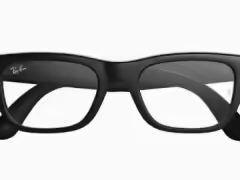
這篇消息聚焦「英格蘭考試監管機構警告:智能眼鏡、隱形耳機或助長作弊行為」。原始導語提到:智能手機已經讓考試作弊有所增加,而下一波可穿戴設備可能讓問題更加嚴重,並危及英格蘭學校資格考試體系的公信力。 從 AI 情報角度來看,這類內容值得關注其背後的技術進展、產品落地、產業競爭與後續市場影響。

花1500美元,讓AI“黑”自己的App:GPT-5.5成功率70%,部分模型0分交卷
## 花1500美元請AI當駭客:GPT-5.5成功率高達七成,部分模型直接繳白卷 近期一項針對大型語言模型「自動化滲透測試」能力的研究引發關注。研究團隊設計了一個專門用來評估AI模型尋找軟體漏洞的「Bug靶場」,並邀請多個主流模型嘗試攻擊一款由AI生成的應用程式。結果顯示,只要付出約1,500美元的成本,GPT-5.
AI眼鏡的可能性:讓生活場景成為學習場景
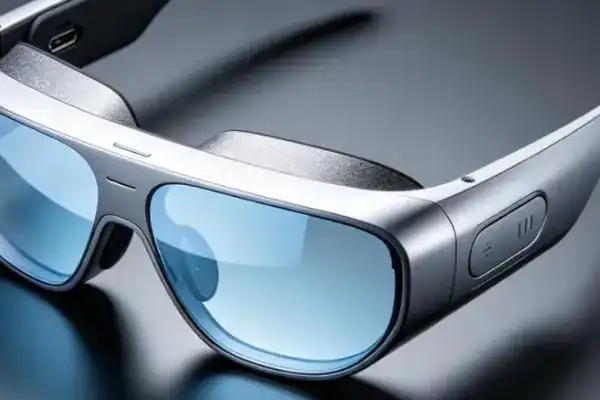
AI 眼鏡能將即時資訊疊加在使用者視野中,讓購物、散步等日常場景變成即時學習的機會,實現「所見即所學」的教育模式。此技術呼應杜威「教育即生活」的理念,可能打破學校與生活的界線、降低學習門檻,但也帶來過度依賴、隱私風險與數位落差等隱憂。

北京 19 個路口上線 AI 紅綠燈,擁堵指數下降約 19%
北京海淀 19 個路口上線 AI 紅綠燈,能根據實時路況自動調整綠燈時長,最高可延長 15 秒。系統上線後,四道口地區整體車速提升約 21%,擁堵指數下降 19% 左右。#智慧交通##AI 紅綠燈#